
Change App Store region on iPhone and Mac
Your Apple account region changes in a couple of minutes. You only need it to download Happ, and you can switch back afterwards.
How to change region and download Happ
The screenshots are in Russian, but the steps match the menus in the App Store.
- 1
Open the App Store and tap your account.
- 2
Tap your account name (your email and name).
- 3
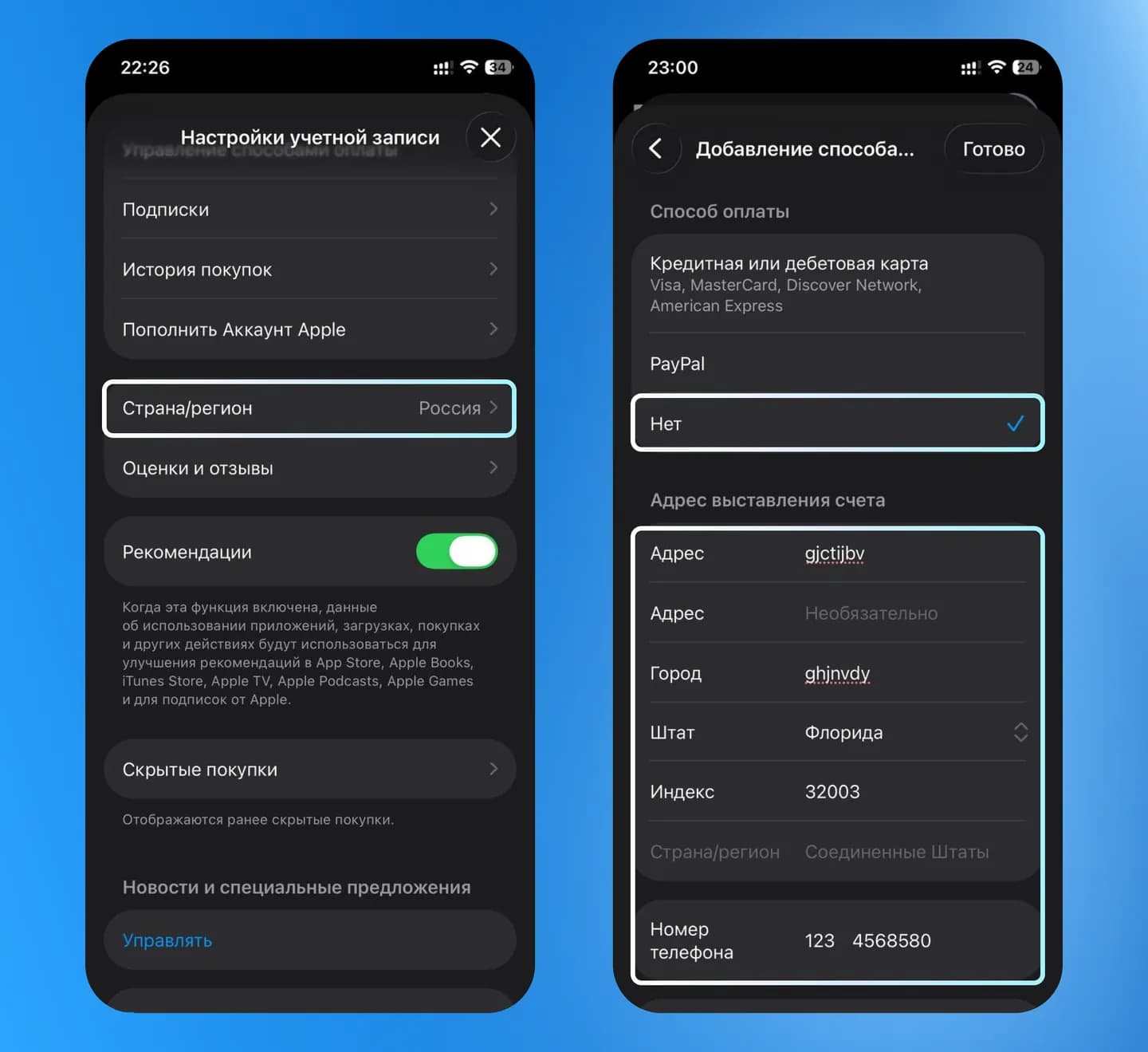
Choose “Country/Region”.
- 4
Pick a region, for example “United States”. If you have active subscriptions, Apple will ask you to cancel them; keep in mind that some Apple services do not work in certain regions.
- 5
Accept the terms and conditions.
- 6
Choose a payment method. If you do not plan to buy anything, select “None”.
- 7
Enter an address and phone number (any valid-looking data works), pick a state, the ZIP code must match that state, which is easy to look up online. If your name is written in Cyrillic, rewrite it in Latin letters and tap “Done”.
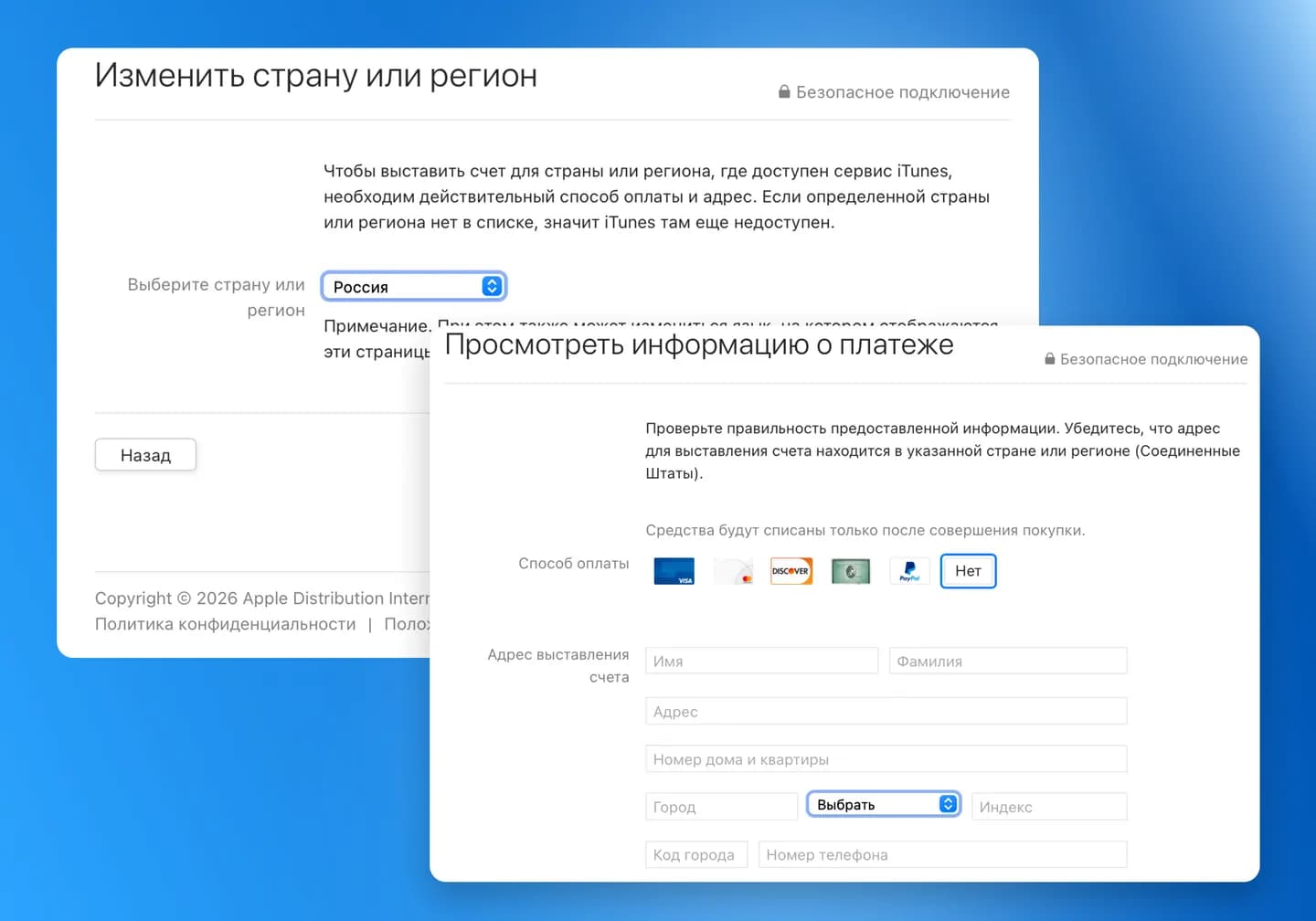
Your region will change. After installing Happ you can switch back to your previous region anytime using the same steps. If anything goes wrong, message our support: VolonX support.
Ready to connect VolonX?
Subscribe in Telegram and set up the VPN in a couple of minutes.