
How to set up VPN on iPhone & iPad: step-by-step guide
Set up using the Happ app and import your VolonX subscription link. VolonX has no app of its own, everything runs in the trusted client.
1. Get free access or subscribe in Telegram
Open the VolonX bot in Telegram and activate 3 days free, no card required. You can subscribe later, once you see everything works. The bot gives you a connection link right away, which we'll import into Happ in the next step.
2. Set up Happ on iPhone & iPad
The screenshots are in Russian, but the steps match the buttons in the apps.
Important note
Any of these clients will work: Happ, V2RayTun, Incy or V2Box. If one of them is already installed, use it; if not, download Happ. This guide uses Happ. Right now Happ can be downloaded from the App Store only after you change your account region, how to change your region.
- 1
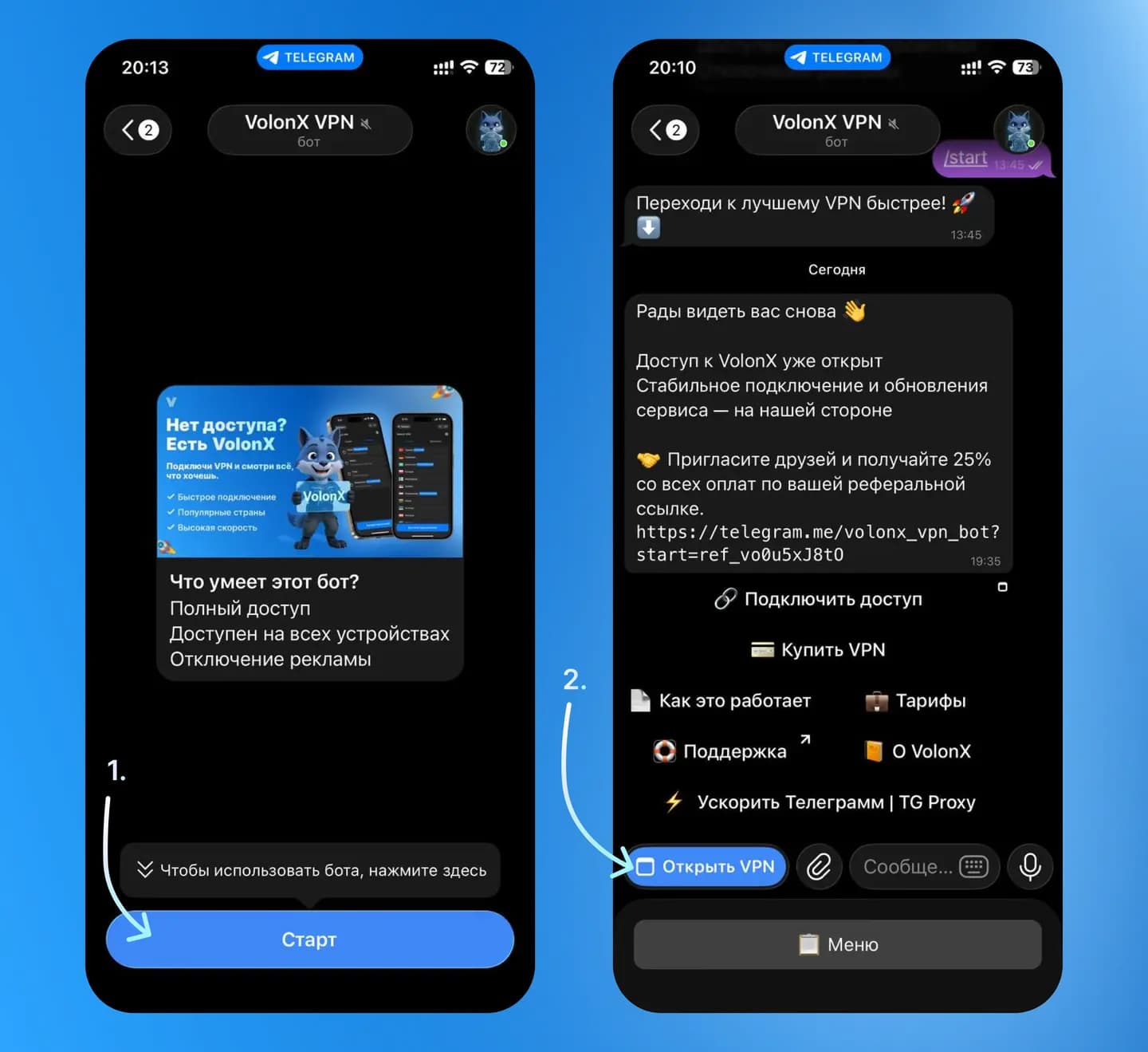
Open the VolonX bot in Telegram and tap “Start”.
- 2
Open the mini app via the “Open VPN” button.
- 3
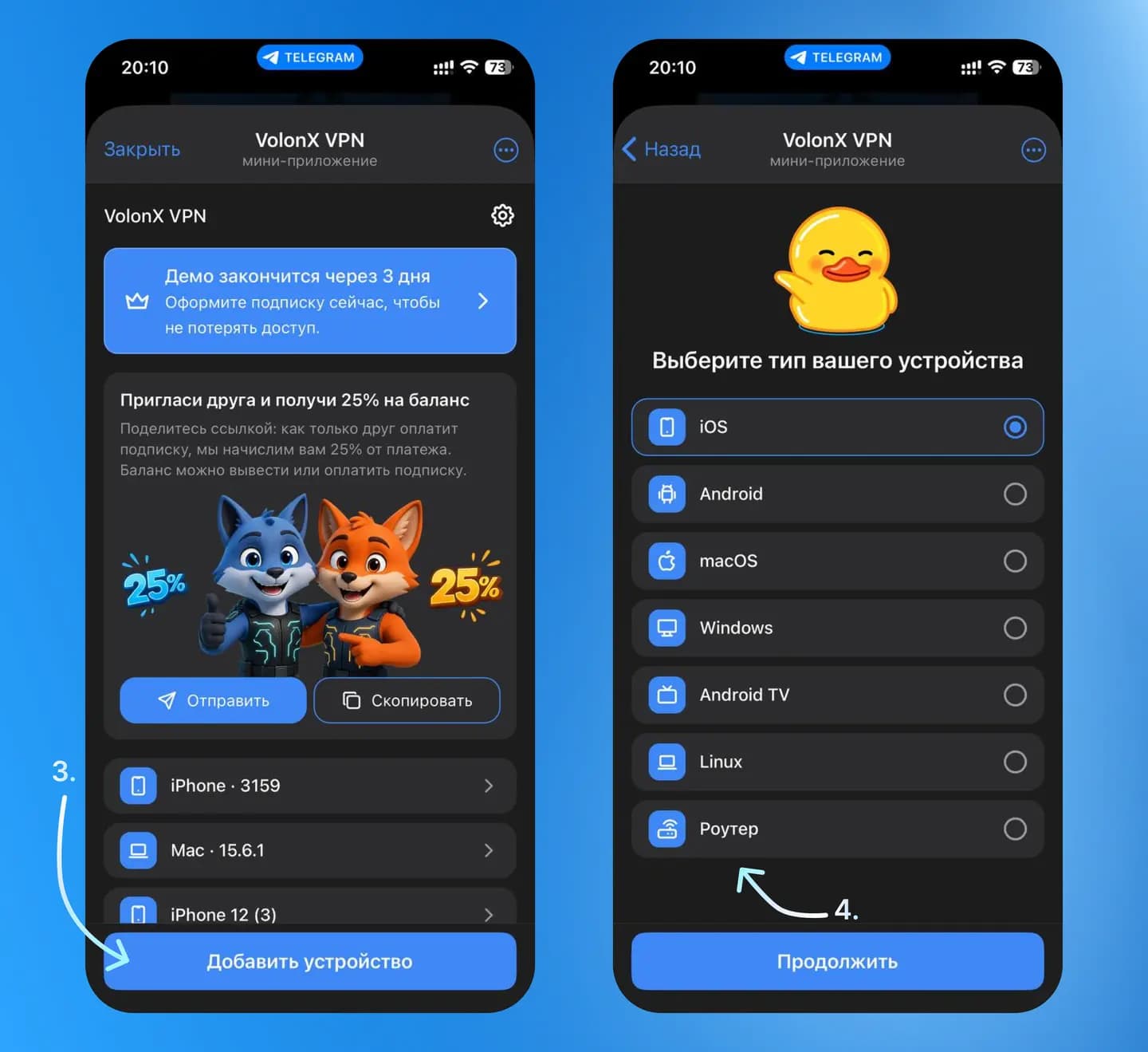
Tap “Add device”.
- 4
Choose the iOS device type.
- 5
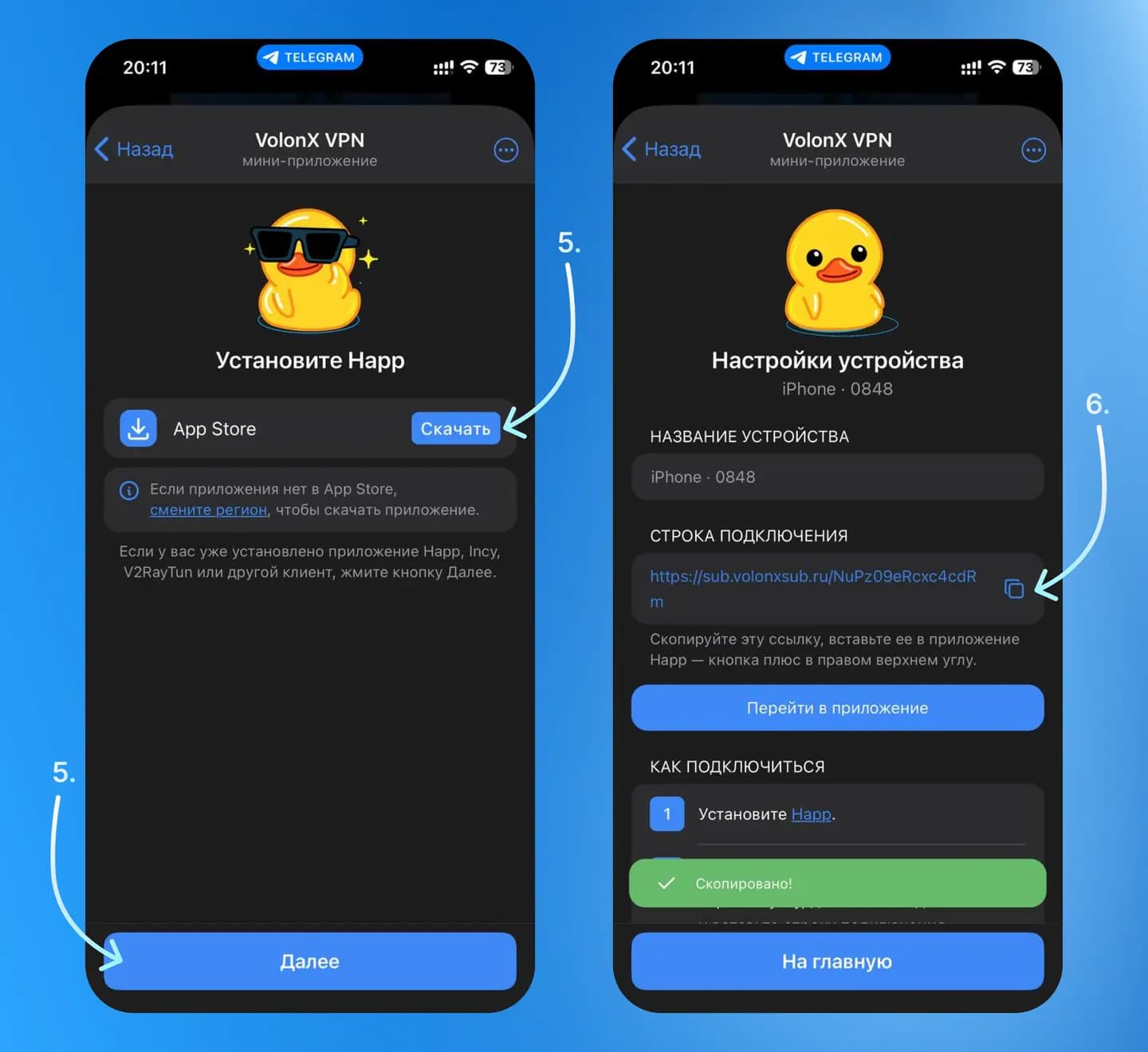
Tap “Download” and install the Happ app. If Happ, Incy, V2RayTun or another client is already installed, tap “Next”.
- 6
Copy the link shown in the connection field.
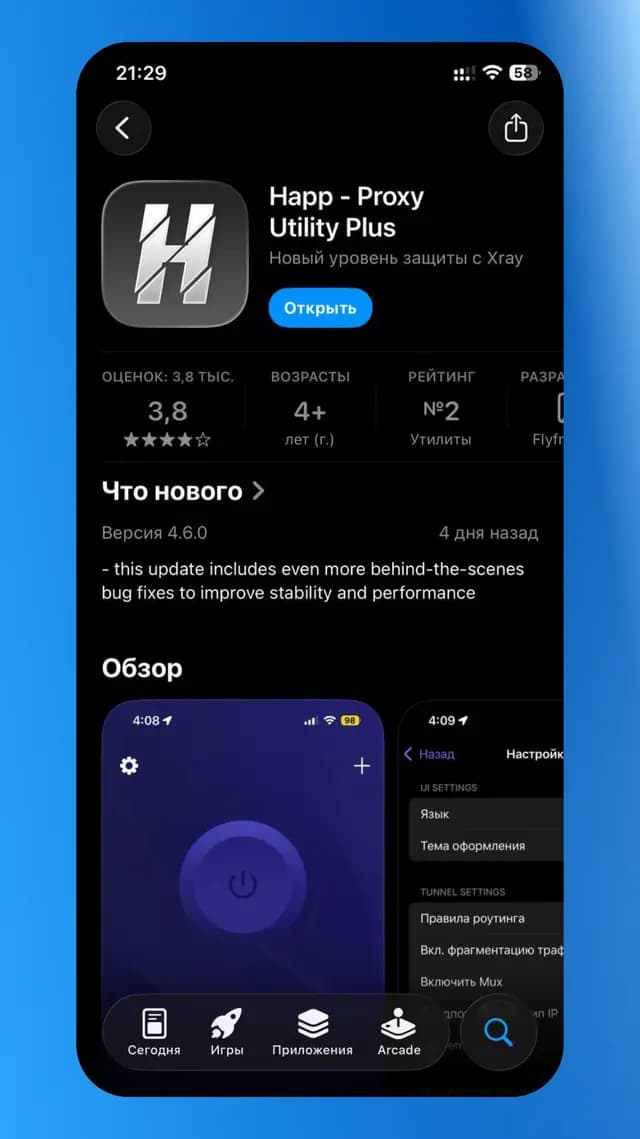
How the Happ app looks in the App Store - 7
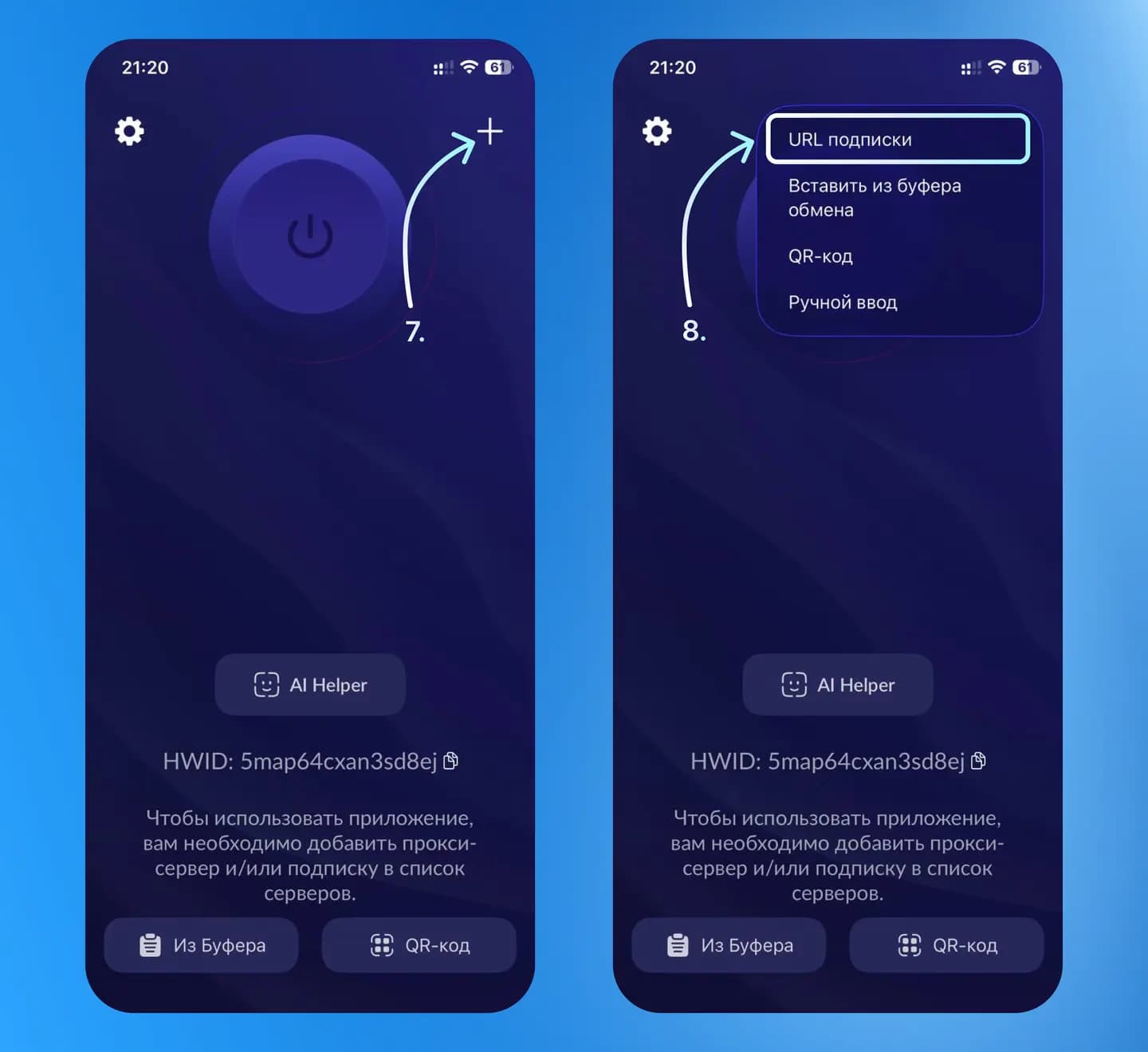
Open Happ and tap “+”.
- 8
Choose “Subscription URL”.
- 9
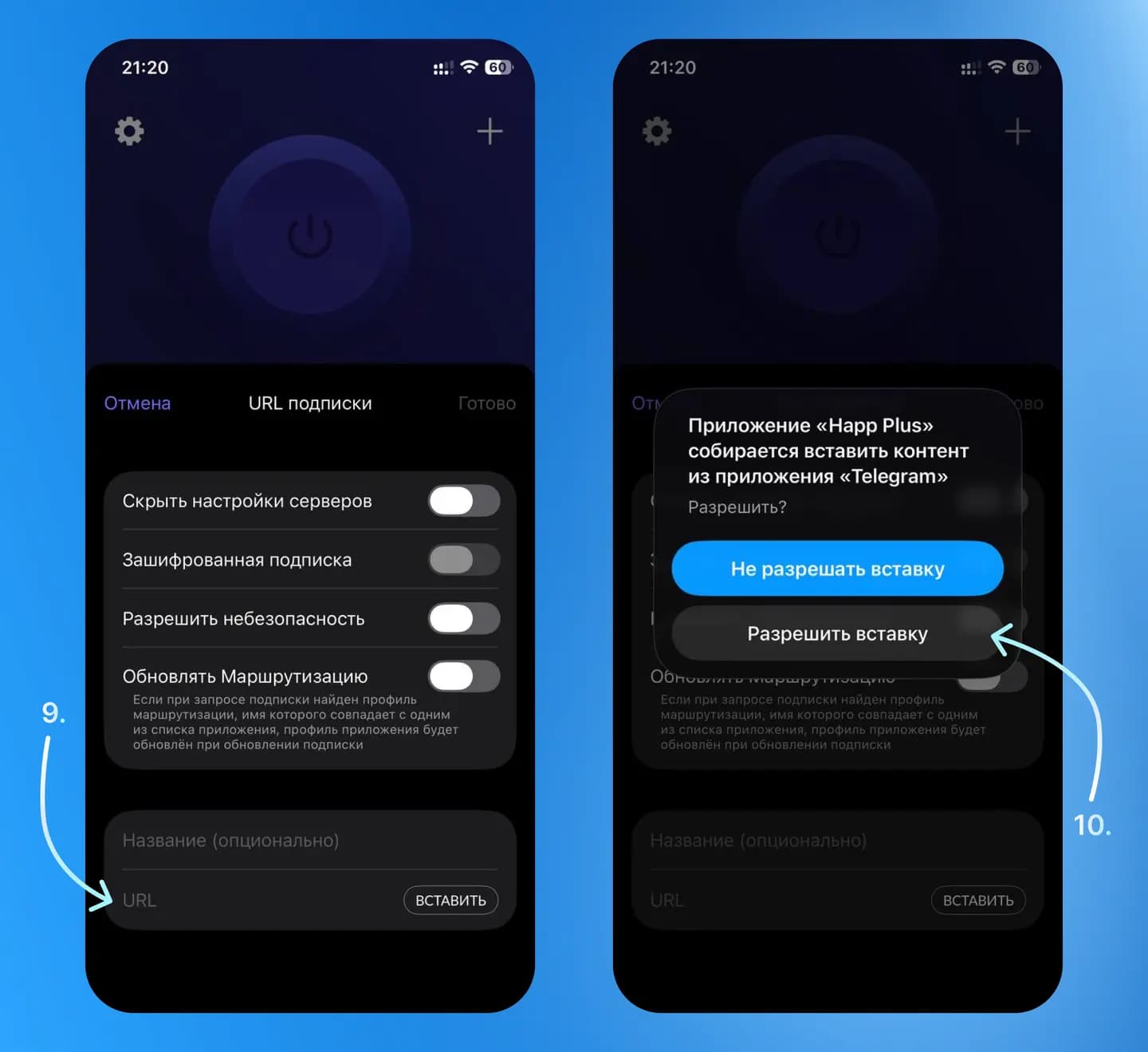
Paste the link into the URL field.
- 10
Tap “Allow paste”.
- 11
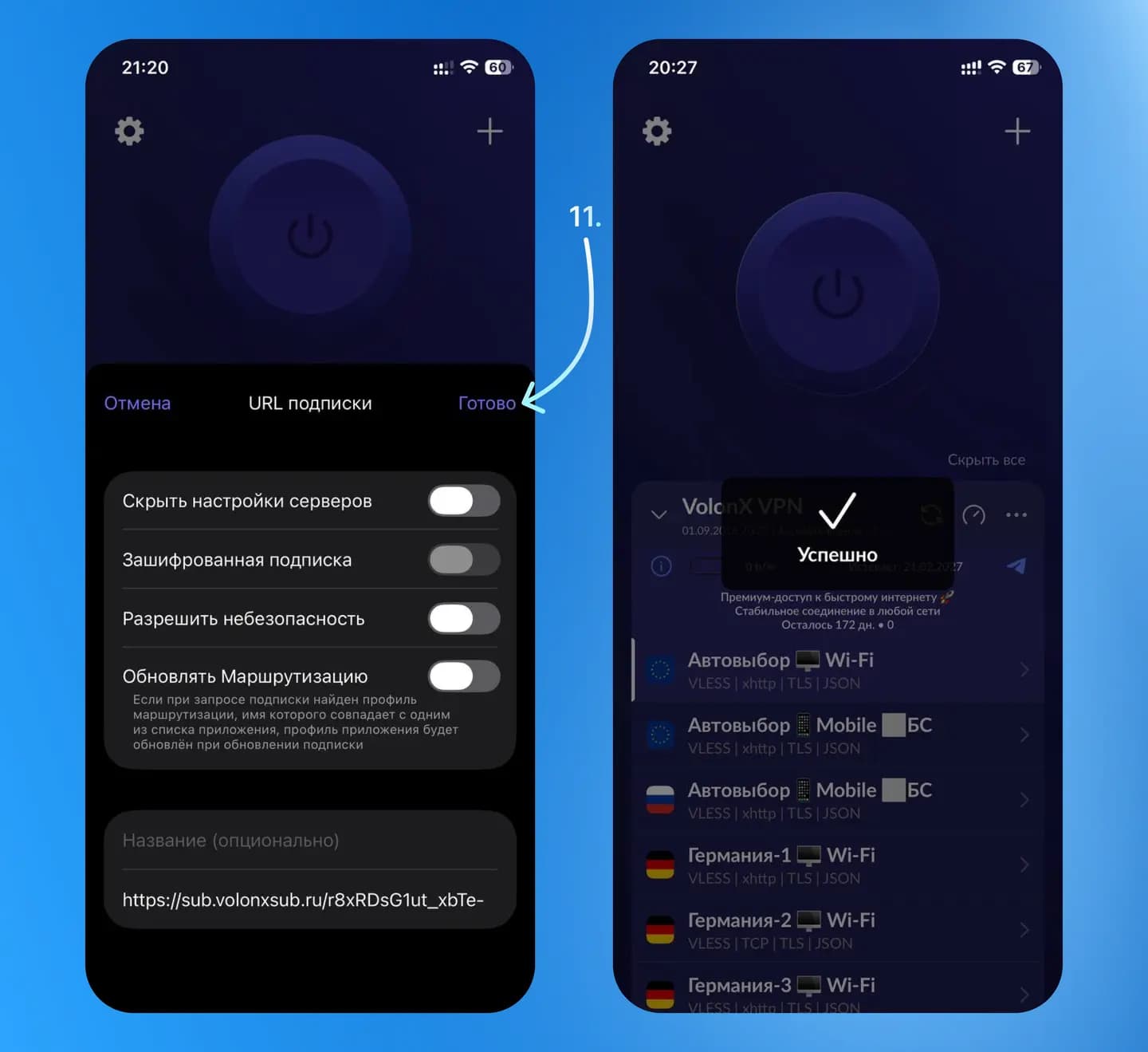
Tap “Done”.
- 12
Turn on the VPN, all set!
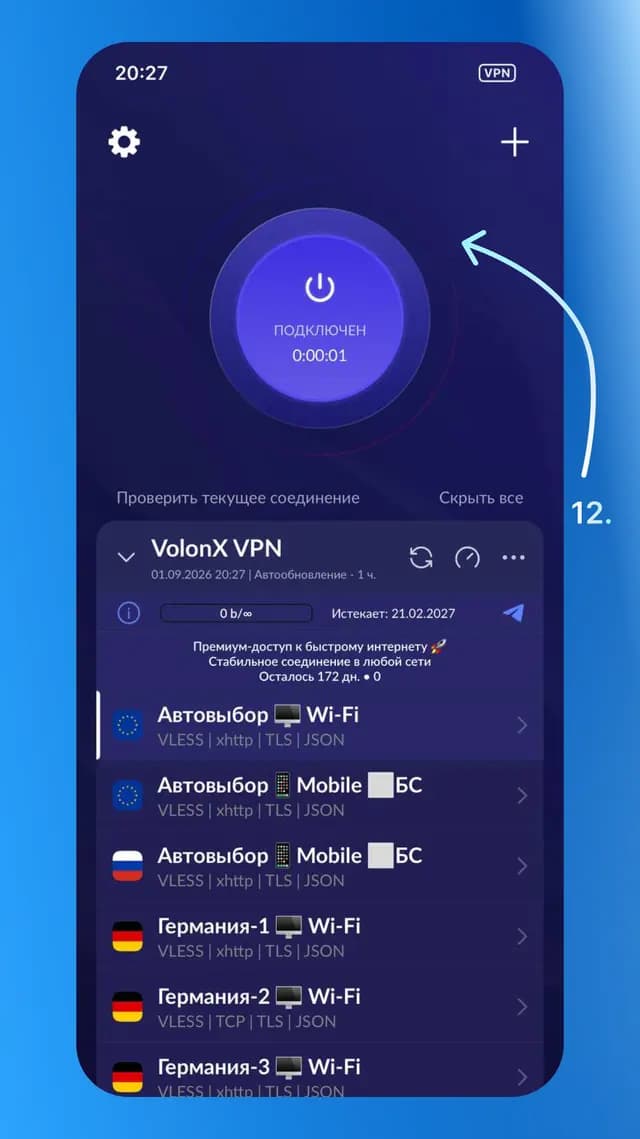
Done! VolonX VPN is installed and ready, a single tap on the main toggle turns it on or off. If something did not work out, message our support and we will help you connect: VolonX support.
FAQ
Get VolonX on iPhone & iPad
Subscribe in Telegram and start using it in a couple of minutes.